





You ship a new feature. You check your analytics dashboard. The number says 30% of users hit the flow, only 2% completed it. You're confused. The feature's good. The UI is clear. So where did 28% go? You have three choices: (1) guess, (2) email users asking what went wrong, or (3) watch a user actually try it and see them get stuck. Most teams guess. That's why most features fail.
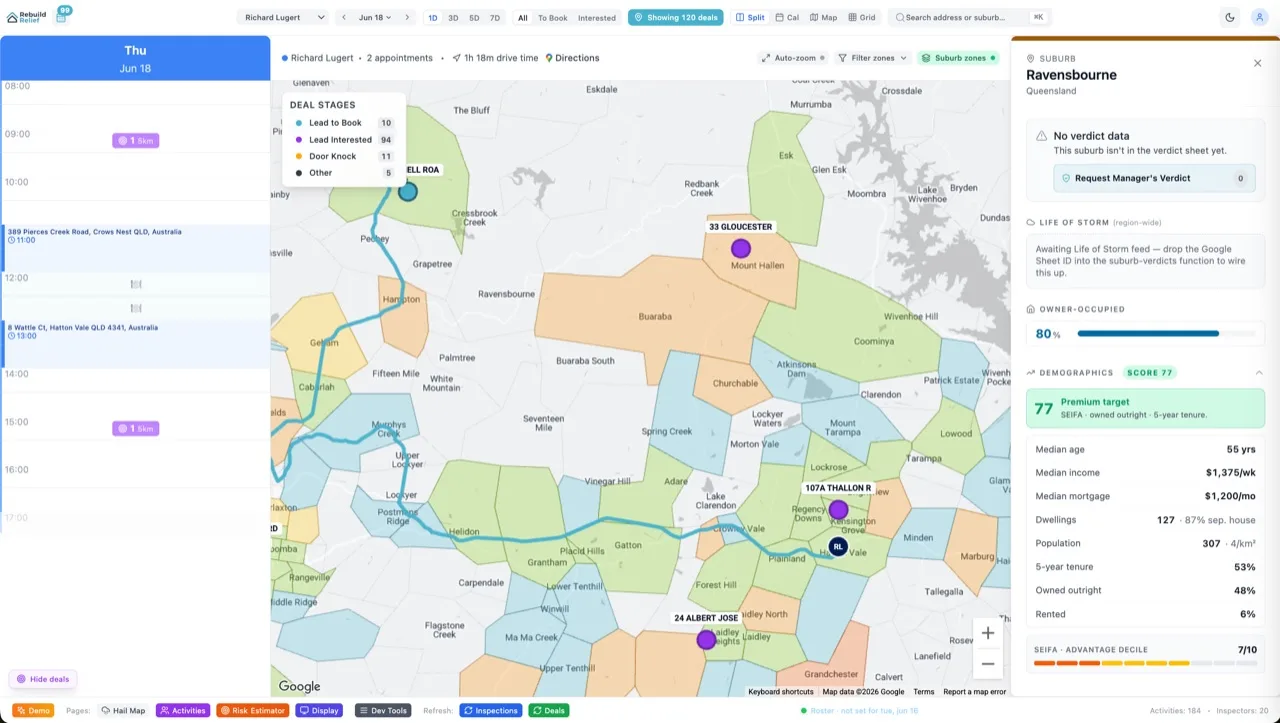
Session replay changes the equation. Instead of staring at a number that says "conversion dropped 30%", you hit play on a video of a user trying to use your feature. You see them click the wrong button. You see them get distracted and leave. You see them rage-click because the loading state wasn't obvious. That video is worth a thousand analytics events because it shows you what the number *means*. PostHog makes this free at <1M events and $450+/month at scale. Velocity X built its entire dashboard on top of it.
What Is Session Replay?
Session replay records the user's DOM state, scroll position, input fields, and clicks — then plays it back as a video. It's a browser automation tool that runs client-side. Here's the key: it's not a video. It's a state recorder. PostHog captures every DOM mutation and stores it. Then you hit play and watch the page unfold exactly as the user saw it. The difference matters: a real video file would be 100MB per session. A state record is 500kb and bandwidth-efficient.
Replay + funnels + heatmaps is the holy trinity of product analytics. Funnels tell you *where* users drop. Heatmaps tell you *what* they click. Replay tells you *why* they left. Analytics alone gives you the first two. Session replay gives you the third, which is the only one that actually drives fixes.
Why Session Replay Beats Guessing
Problem 1: Analytics are half-truths
Your funnel says "signup page → payment form, 70% drop". That number is true. But is it because the payment form is broken? Because users got scared of commitment? Because they didn't understand the pricing? Because they got distracted and left? Analytics don't say. Replay shows you: you watch five users try the flow, and four of them scroll down, see the annual commitment language, and bounce immediately. Insight: reword the pricing section. Shipped in 30 minutes. Conversion jumped to 85%.
Problem 2: Heat maps hide context
A heatmap shows clicks scattered across a button. Good. But were people clicking by accident? Were they trying multiple times because the first click didn't register? Were they confused about what the button does? Heatmaps say "click happened". Replay says "user clicked three times and looked lost". That context is the difference between "ship it" and "redesign it".
Problem 3: Custom events are a guessing game
You instrument your app with custom events: user_opened_modal, user_clicked_upgrade, user_saw_billing_page. Then you build a funnel: opened_modal → clicked_upgrade → completed_checkout. Your data is clean. But what if the modal had a bug and was rendering off-screen? What if users couldn't see the upgrade button because of a CSS overflow? Analytics would show "users opened modal but didn't click". Replay would show "modal was invisible". You'd spot it in 30 seconds and deploy a fix. Analytics alone? You'd spend a week debugging.
Session Replay Workflows — Three Use Cases
Workflow 1: Funnel Dropoff + Replay
Build a funnel: homepage → pricing page → signup form → payment. You see a 40% drop at signup form. Whip. Click "watch replays for users who dropped at this step". PostHog shows you 10 session replays of users who hit the signup form and bounced. You watch three. All three have the same behavior: they scroll down, see an error message about email verification, and leave. Discovery: the error message is cryptic. Reword it. Conversion jumps to 78%. This workflow is a superpower for B2B SaaS.
Workflow 2: Rage Click Detection
PostHog auto-detects rage clicks: when a user clicks the same element >5 times in 3 seconds. It's a behavioral signal that something broke or wasn't obvious. Filter your replay library to "rage clicks" and you get a list of frustrated users. Watch a few. Common findings: (1) submit button didn't give visual feedback, user thought it didn't work, (2) loading state was invisible, user clicked "save" repeatedly, (3) success state was too subtle, user didn't realize their change saved. These are 30-second fixes that instantly improve user happiness.
Workflow 3: Abandonment Flow Analysis
Filter replays to "users who visited pricing page but never signed up". Watch 15 sessions. Pattern emerges: 12 of them scroll to the bottom, see a FAQ section with long technical content, scroll back up confused, and leave. You're losing revenue because the FAQ is scaring people away. Move it behind a "technical details" toggle. Abandonment drops 35%. One tweak. Massive impact.
Setting Up PostHog — Autocapture + Privacy
Step 1: Install PostHog
npm install posthog-jsStep 2: Initialize with Autocapture
import posthog from 'posthog-js';

posthog.init('phc_YOUR_API_KEY', {
  api_host: 'https://app.posthog.com',
  autocapture: true,
  session_recording: {
    maskAllInputs: true,
    maskAllText: false,
  },
});
That's it. autocapture: true means PostHog auto-tracks clicks, form submissions, and navigation without you writing custom events. maskAllInputs: true hides sensitive data (passwords, credit card fields) from replays.
Step 3: Mask PII Manually
Autocapture is aggressive. It might record email addresses, phone numbers, or other PII. Mask sensitive fields explicitly:
posthog.config.session_recording = {
  maskAllInputs: true,
  maskAllText: false,
  blockedIframeElements: [],
  recordCrossOriginIframes: false,
};

// Or mask specific elements
document.querySelector('input[type="email"]')?.classList.add('ph-no-capture');
The ph-no-capture class tells PostHog to skip that element entirely. Use it on payment form fields, SSN fields, or anything GDPR-protected.
Step 4: Add Custom Events (Optional)
Autocapture gives you clicks. Custom events give you intent. A user clicking a button is observable. A user completing a purchase is intent.
posthog.capture('user_completed_purchase', {
  amount: 99,
  plan_tier: 'pro',
  conversion_time_ms: 3200,
});
Privacy Rules — Mask, Block, Comply
Rule 1: Autocapture is too aggressive by default
Session replay records your entire DOM. That includes form fields, text content, console logs. If a user pastes a credit card into a password field, that's recorded. If your app logs errors with customer data, that's recorded. Solution: start with maskAllInputs: true. This hides all input fields and password characters. Then whitelist specific inputs that are safe to record (search boxes, form labels).
Rule 2: Block iframes and sensitive widgets
PostHog can cross-origin iframe tracking if you allow it. Don't. Stripe, Shopify, and third-party embeds should never be recorded. Set recordCrossOriginIframes: false in config.
Rule 3: GDPR + Australia Privacy Act
Session replay is aggressive data collection. Both GDPR and Australia's Privacy Act require explicit consent before recording sessions. Best practice: lazy-load PostHog. Only initialize it after the user consents. Even better: self-host PostHog so data never leaves your jurisdiction.
// Load PostHog only if user consents
if (localStorage.getItem('analytics_consent') === 'true') {
  import('posthog-js').then(({ default: posthog }) => {
    posthog.init('phc_YOUR_API_KEY', { /* config */ });
  });
}
If you must record by default (low-risk product, internal tool), add a consent banner and let users opt-out.
Six FAQs
Does session replay slow down my site?
PostHog's library is ~20kb gzipped. Session recording adds ~20-30kb. Negligible for most sites. If you're obsessed with Core Web Vitals, wrap it in Partytown (offload to a web worker). Impact becomes near-zero.
How much does PostHog cost?
Free tier: 1M events/month + 5K session recordings. That's a functional product for a startup. Paid: $450+/month for 10M events. Expensive, but teams love it because replay + funnels are so much clearer than GA4. Compare with our PostHog vs GA4 vs Plausible breakdown.
What data does session replay actually send?
DOM mutations (every change to the page), scroll position, mouse movement (heatmaps), clicks, form submissions (before masking), network requests. It does NOT send network request bodies, console logs, or local storage by default. Privacy-conscious teams should audit exactly what PostHog captures before deploying to production.
Can I use PostHog without funnels?
Yes. Replay alone is valuable. Watch how users interact with a feature, spot bottlenecks, ship fixes. Funnels just amplify the signal: "here's where users drop, now watch why". But replay is useful even without them.
How do I export replay data?
PostHog stores replays for 30 days (free) to 12 months (paid). You can export raw event data via API. But replays themselves aren't easily exportable — they're designed to be watched in the PostHog UI, not archived. If you need long-term replay storage, self-host PostHog.
Does PostHog work with single-page apps (React, Vue, etc.)?
Yes, it's built for them. Install the library, initialize it once on app mount, autocapture and replay work automatically as the app re-renders. For framework-specific setup, PostHog has plugins for React, Next.js, Vue, Svelte, etc.
The Bottom Line
Session replay is a cheat code for product development. Instead of arguing about why users churn, you watch them churn and fix it. Most teams ship features, check the analytics, see the number is bad, and guess what's wrong. Teams using replay ship features, watch users fail, and ship the fix before anyone notices. It's not magic. It's just using the right tool.
PostHog is cheap ($0 at <1M events) and powerful (replay + funnels + heatmaps + autocapture in one place). Privacy concerns are real — mask your inputs, block iframes, get consent. But for most product teams, the overhead is worth it.
Velocity X uses PostHog on every product dashboard. We watch funnels every week. We spot rage clicks immediately. We catch bugs that analytics would have hidden for months. Once you've watched a user interact with your product, you'll never go back to guessing.
Want session replay for your SaaS? Check out Aidxn Design's analytics + instrumentation consulting to design your funnel strategy, or read our full analytics stack guide to compare PostHog against alternatives.