








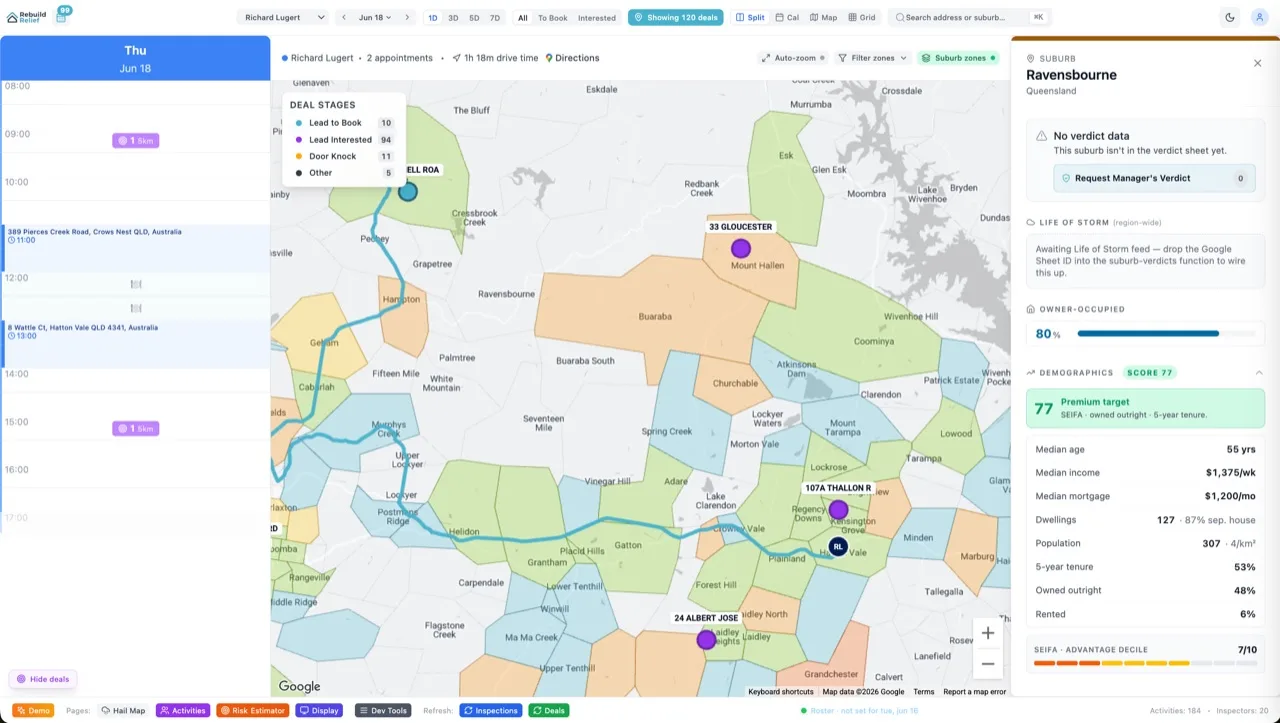


If you're shipping a B2B ops tool with both field staff and executives, you face a choice: build two separate dashboards (one for reps, one for SLT), or architect a single codebase that shows different views based on role. The first is cheap to build, expensive to maintain. The second feels complex upfront but it pays dividends at scale. Velocity X does the latter. This is how.
Why Single-Source-of-Truth Beats Two Apps
Two dashboards sound simple. Reps get their jobs, SLT gets rollups. But that simplicity dies when requirements change. You ship both at once. A bug in the data pipeline hits both. You onboard someone from rep to manager and now they need both views—do you spin up two logins? Do you duplicate the database schema?
A single codebase with role-gated views means one schema, one data pipeline, one deployment. When a rep gets promoted to ops lead, flip their role in Supabase and they see the ops view next refresh. No double-entry, no sync headaches. You build once, maintain once.
The trade-off is permission architecture. But that trade-off pays for itself the moment you hire your second ops person.
The Architecture: Profiles, Roles, and JWT Claims
Every user in Velocity X has a profiles row with a role column:
create table profiles (
  id uuid primary key references auth.users(id) on delete cascade,
  org_id uuid references organizations(id),
  role text not null default 'staff', -- admin, marketing, slt, staff
  name text,
  email text,
  created_at timestamp default now()
);

create index on profiles(org_id, role);
When a user logs in, Supabase automatically injects role into their JWT as a custom claim via a database trigger:
create or replace function set_jwt_role()
returns trigger as $$
begin
  update auth.users
  set raw_user_meta_data = jsonb_set(
    coalesce(raw_user_meta_data, '{}'::jsonb),
    '{role}',
    to_jsonb(new.role)
  )
  where id = new.id;
  return new;
end;
$$ language plpgsql security definer;

create trigger on_profile_created
after insert or update on profiles
for each row execute function set_jwt_role();
Now the user's JWT contains role. Every Supabase query reads auth.jwt() ->> 'role' at the database layer. The client never decides what a user sees—the database does.
Two Tables, Two RLS Policies
Velocity X has a jobs table (job assignments, status, outcome) and a job_rollups table (aggregated stats by team, period, outcome). Both have RLS enabled.
Staff sees individual jobs:
alter table jobs enable row level security;

-- Staff: their own jobs
create policy "staff_see_own_jobs" on jobs
  for select
  using (
    auth.jwt() ->> 'org_id' = org_id::text
    and (assigned_to = auth.uid() or assigned_team = auth.jwt() ->> 'team_id')
    and auth.jwt() ->> 'role' = 'staff'
  );

-- Staff: insert (create job)
create policy "staff_create_jobs" on jobs
  for insert
  with check (
    auth.jwt() ->> 'org_id' = org_id::text
    and auth.jwt() ->> 'role' = 'staff'
  );

-- Staff: update only their own jobs
create policy "staff_update_own" on jobs
  for update
  using (auth.uid() = assigned_to)
  with check (auth.jwt() ->> 'org_id' = org_id::text);
SLT sees aggregated rollups (read-only):
alter table job_rollups enable row level security;

-- SLT: see summary stats for their org
create policy "slt_view_rollups" on job_rollups
  for select
  using (
    auth.jwt() ->> 'org_id' = org_id::text
    and auth.jwt() ->> 'role' = 'slt'
  );

-- Marketing: see campaign rollups
create policy "marketing_view_campaigns" on job_rollups
  for select
  using (
    auth.jwt() ->> 'org_id' = org_id::text
    and auth.jwt() ->> 'role' = 'marketing'
    and rollup_type = 'campaign'
  );
Admin sees everything:
-- Admin bypass
create policy "admin_all_access" on jobs
  for all
  using (
    auth.jwt() ->> 'org_id' = org_id::text
    and auth.jwt() ->> 'role' = 'admin'
  );

create policy "admin_all_rollups" on job_rollups
  for all
  using (
    auth.jwt() ->> 'org_id' = org_id::text
    and auth.jwt() ->> 'role' = 'admin'
  );
Each policy is org-scoped (RLS checks org_id matches the JWT claim) and role-scoped. A staff member literally cannot query the rollups table—the database rejects the query before it runs.
Edge Functions for Cross-Role Rollups
The tricky bit: computing rollups. You can't ask staff to run aggregates (they don't have read access to all jobs). You can't ask SLT to write (they're read-only). So you use a Netlify Edge Function with the service role key:
// /api/recompute-rollups
import { createClient } from 'https://esm.sh/@supabase/supabase-js@2.104.0'

const supabase = createClient(
  Deno.env.get('PUBLIC_SUPABASE_URL'),
  Deno.env.get('SUPABASE_SERVICE_ROLE_KEY') // Bypasses RLS
);

export default async (req: Request) => {
  const { org_id, period } = await req.json();

  // Read all jobs for the org (service role sees everything)
  const { data: jobs } = await supabase
    .from('jobs')
    .select('*')
    .eq('org_id', org_id)
    .gte('created_at', period.start)
    .lte('created_at', period.end);

  // Compute stats
  const completed = jobs.filter(j => j.status === 'completed').length;
  const avgOutcome = jobs.reduce((sum, j) => sum + j.claim_amount, 0) / jobs.length;

  // Write rollup (service role)
  const { error } = await supabase
    .from('job_rollups')
    .upsert({
      org_id,
      period,
      completed_count: completed,
      avg_claim_amount: avgOutcome,
      updated_at: new Date()
    });

  return new Response(JSON.stringify({ success: !error }));
};
This function runs on a schedule (e.g. via Netlify Cron). It computes rollups for every org and writes them to the job_rollups table. SLT queries that table and sees the aggregates; staff cannot.
The Two Dashboards
Rep Dashboard (Jobs List): Shows the staff member their assigned jobs, status, next action, claim value. Filterable by team, outcome, date range. Can update job status and notes. Queries jobs table directly—RLS filters to their assignments automatically.
// React component
const { data: myJobs } = await supabase
  .from('jobs')
  .select('id, title, status, claim_amount, assigned_to, assigned_team')
  .eq('org_id', user.org_id); // RLS enforces this; staff sees only their own

return <JobsList jobs={myJobs} />;
SLT Dashboard (Rollups + KPIs): Shows leadership the big picture. Completed jobs by period, average claim amount, completion rate, team performance. All read-only. Queries job_rollups—RLS enforces read-only access, and the rollups are already aggregated so no sensitive details leak.
// React component
const { data: rollups } = await supabase
  .from('job_rollups')
  .select('period, completed_count, avg_claim_amount, team_performance')
  .eq('org_id', user.org_id); // RLS enforces; SLT sees rollups only

return <RollupDashboard rollups={rollups} />;
Same React component file can render either dashboard based on the user's role in auth.user().user_metadata.role. No re-fetch, no route guard, no duplicated logic.
Admin Overrides: Sales Ops and Hybrid Roles
Some users need both views. A sales operations manager might need to see individual jobs (to diagnose why a team is slow) and rollups (to report to SLT). Give them the role admin and they see everything. If you need finer control—e.g., "marketing ops can see jobs AND campaign rollups but not team performance"—stack multiple roles:
-- profiles.role is now an array
alter table profiles
  drop column role,
  add column roles text[] default array['staff'];

-- Update trigger to inject roles array
update auth.users
set raw_user_meta_data = jsonb_set(
  raw_user_meta_data,
  '{roles}',
  to_jsonb(new.roles)
)
where id = new.id;

-- Policies check array membership
create policy "multi_role_access" on jobs
  for select
  using (
    auth.jwt() ->> 'org_id' = org_id::text
    and auth.jwt() -> 'roles' ? 'staff' -- ? operator checks array membership
  );
This adds complexity. Keep it to two or three roles until you have evidence you need more.
Performance Tuning
Role-gated queries are fast if your policies are simple. If you're subquerying membership tables in every policy, you'll hit performance cliffs at scale. Best practices:
1. Store role in JWT, not in a lookup table. Postgres evaluates JWT claims as constants, enabling index usage. A policy that subqueries team_members on every row is N+1.
2. Index by org_id and role. Every table with RLS should have create index on table_name(org_id, role) so policies filter fast.
3. Pre-compute rollups.** Don't ask SLT to run COUNT(*) group by on a million-row table. Compute rollups offline and store them in a fast-read table. That table is SLT-only.
Frequently Asked Questions
What if a staff member changes teams mid-shift?
Update their profiles.team_id in Supabase. The next time they refresh their session (or immediately if you call supabase.auth.refreshSession()), their JWT gets a new team_id claim and RLS re-evaluates. They'll see jobs for the new team. The old team's jobs disappear from their view (but stay in the database).
Can I test RLS policies locally?
Yes. Run supabase start to spin up a local Postgres. Use set local role in psql to impersonate a user, or use Supabase's testing tools to create a scoped client with a test JWT. Write tests that assert staff can't read SLT rollups. Your RLS tests should outnumber your application logic tests.
What if SLT needs to drilldown into individual jobs?
Add a permission: and (auth.jwt() ->> 'role' = 'slt' or auth.jwt() ->> 'role' = 'admin') to the staff jobs policy. Or give SLT a hybrid role. Or create a separate jobs_for_slt view that strips out sensitive fields (e.g., homeowner name, address) and gate it with a policy. The database is flexible; choose based on data sensitivity and business rules.
How do I handle multi-org users?
Store an array of org IDs in the JWT claim. Update policies to check membership: auth.jwt() -> 'org_ids' ? org_id::text. This is complex and error-prone; avoid it unless the business demands it. Single-org-per-user is simpler and more secure.
Does RLS work with batch queries?
Yes. supabase.from('jobs').select(...).in('id', [1,2,3]) will apply RLS to each row. If the user can't see job #2, it's filtered out—they get jobs #1 and #3. This is correct but can be surprising if you expect all three to come back.
Can Stripe webhooks write to role-gated tables?
Webhooks need the service role because they're not associated with a user JWT. Store org_id in the webhook payload (Stripe metadata is your friend), then write rows for that org explicitly. Don't rely on the context of a user login—there isn't one.
The Verdict
Role-gated dashboards sound like you're adding complexity. You're not. You're shifting complexity from "maintain two codebases and two databases" to "maintain one RLS schema and a handful of policies". At scale, that's a win. At small scale, it's overkill—ship a single rep dashboard first, add SLT views when you have data to show them. When you do, the architecture above is the pattern that holds up in production. Velocity X uses it. So should you.
Check the full Supabase RLS guide for deeper dives into policy patterns and performance tuning. And if your business is ready to scale ops dashboards, pricing shows how to build this on our platform.