


A user signs up for your SaaS. They land on a welcome screen. A modal pops up: "Let's get you started!" It walks them through 12 steps. By step 3, they're gone. This is the onboarding pattern that kills 60% of SaaS companies — lengthy setup flows that postpone the Aha moment by days. Contrast: Figma, Stripe, and Notion drop you into a pre-configured workspace in under 30 seconds. You create something, see the value, and are already sold on the product. That's the difference between a 10% day-30 activation rate (terrible) and a 70% rate (investor-ready). This isn't about UI polish — it's about ruthlessly eliminating friction before the moment a user sees why they signed up. Let's walk the activation funnel, three onboarding traps that drain engagement, the pre-seeded sample data strategy Aidxn uses for client SaaS, and the in-context coaching system that replaces intrusive modal walkthrough tours.
Why Onboarding Matters More Than Your Product Demo
The activation falloff is real
Forget your launch metrics. Your day-1 signup count means nothing if 80% aren't active by day 7. Typical SaaS funnel: 1,000 signups → 200 day-7 actives (20% retention) → 50 paying customers (5% conversion). A best-in-class funnel: 1,000 signups → 700 day-7 actives (70%) → 350 paying customers (35%). The difference? An onboarding experience that gets users to value in under 5 minutes, not under 5 days. Every additional step in your signup flow costs you 3–5% of users. Every minute you delay the first "wow moment" costs you 10–15%. This is law, not opinion — it's measured across thousands of SaaS cohorts.
Modal walkthrough tours are onboarding's deadliest trap
You've seen them: "Here's your dashboard. Here's your sidebar. Here's where you set preferences." Twelve slides of explaining what you already understand visually. Users skip every one. Or worse, they complete it, forget the steps, and quit when they hit friction. Modal walkthrough tours treat onboarding like a classroom — "we'll teach you everything, then you'll use it." Reality: users learn by doing, not watching. The moment you interrupt their first action with a modal, you've broken the flow. If a user wants to create a project and you show them a 5-step tour first, they're already frustrated. They came to create — let them create.
The time-to-value metric that matters
Time-to-value is how long it takes from signup to the user's first "wow moment" — the instant they see the core value of your product. For a design tool, it's creating a shape and seeing it render. For an email platform, it's sending their first campaign and seeing opens. For a data dashboard, it's loading their data and seeing a chart. If your time-to-value is 30 minutes, you'll lose 80% of users. If it's under 5 minutes, you'll keep 60%+. That's the only onboarding metric that predicts retention and revenue. Everything else is a vanity metric.
Three Onboarding Failures (Why Users Leave at Day 2)
Failure #1: Setup pages before action (empty state paralysis)
User signs up. They land on a blank dashboard with a "Set up your profile" prompt. Or "Connect your data source." Or "Choose your workspace name." You're asking them to configure before they see value. They don't know yet if the product is worth configuring. This is the empty state paralysis — you've put friction before the Aha moment. The fix: skip the setup page entirely. Auto-create a sample workspace and data. Let them explore a pre-populated dashboard for 2 minutes, see how the product works, and THEN ask for profile details. You've shown value before asking for investment.
Failure #2: Slow first action (database loads, API latency, manual entry)
User signs up for a form-building tool. They're ready to create. But first, they need to populate 30 fields. Or wait 10 seconds for your database to load their initial workspace. Or watch a skeleton loader for half a minute. By then, momentum is gone. Every second of latency between signup and the first interactive moment costs you 5% activation. This is why Figma loads a sample file instantly (pre-rendered), why Stripe shows you a dashboard with dummy transactions, and why Notion opens with a template. They optimized for the 5-second window where you're still engaged and haven't bounced.
Failure #3: Optional onboarding that users skip (no consequence for ignoring it)
Some SaaS platforms make onboarding optional — "Skip this tutorial, explore on your own." 95% of users skip it. Then they hit friction after 10 minutes (a feature they didn't know existed, a button that's hidden by default) and quit. The walkthrough would've covered it, but they opted out because walkthroughs feel like homework. The fix: make onboarding mandatory — but make it 60 seconds long and embedded in the product itself, not a modal. Show a tooltip when they hover the "advanced filters" button. Add a one-line hint next to a complex field. This is in-context coaching, and it's invisible enough that users don't resent it.
The Time-to-Value Funnel (5 Decisions in 5 Minutes)
Second 0–10: Signup → Auto-Seeded Workspace. User completes signup form. You generate an account, create a default workspace, and populate it with sample data (3–5 example projects, or dummy transactions, or template campaigns — whatever your product does). Redirect them immediately to the app. No email confirmation, no profile page, no setup wizard. Just land them in a product that already has something to explore.
Second 10–60: First Interaction with Sample Data. They see your dashboard pre-loaded with sample data. They click a project, edit a field, run a filter, or send a test email. The product responds instantly (because sample data is pre-rendered, not fetched from your database). They experience the core value: "Oh, I can build something here" or "I can see results instantly" or "This is faster than my current tool." This is the Aha moment. Document it — users who hit this moment in under 60 seconds have a 70% day-30 activation rate.
Minute 1–2: First Real Action (Optional but Encouraged). Now that they've seen value, guide them to their first real action. "Create your first project" button, "Upload your data" flow, or "Send your first campaign." But don't force it — they can also keep exploring the sample data. This is where in-context coaching appears: a tooltip on the "Create" button saying "Start with your own data here," a one-line hint in a form field, a small badge saying "Pro tip: use templates to save time." Soft nudges, not modal interruptions.
Minute 2–5: Profile / Integration Setup (If Needed). Once they've explored and taken a real action, NOW ask for more setup. "Connect your email account," "Add your team," "Set up billing." They've already seen value, so they're motivated to complete these steps. Your conversion rate on these setups will be 60%+ instead of 5%, because you've earned their interest.
Pre-Seeded Sample Data Strategy (The Secret Sauce)
Why sample data is the fastest onboarding
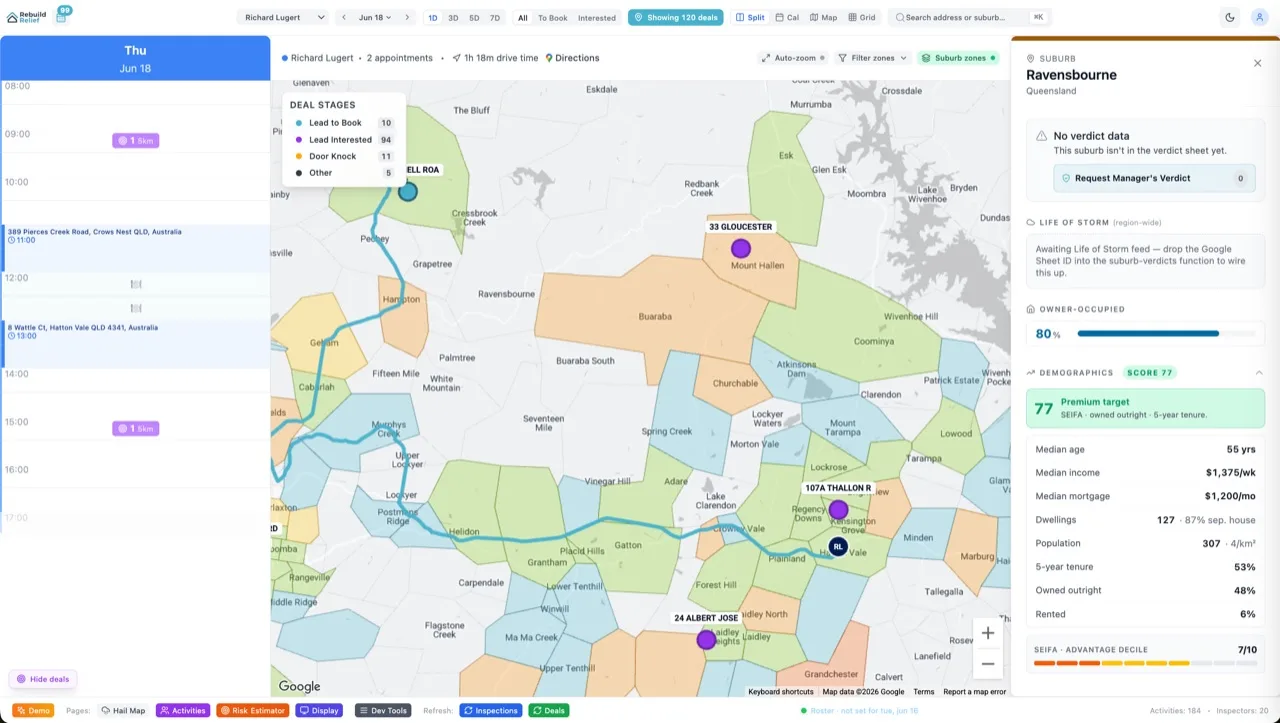
Sample data lets users see a fully-functional product instantly. No loading states, no empty dashboards, no "add data first." They can interact with charts, sort tables, apply filters, and trigger workflows — all with dummy data that's already there. This is why the best SaaS platforms use it. Figma's sample file gets 10M views a month because new users can click and edit immediately. Notion's template gallery succeeds because you choose a template and start working, not start blank. Sample data removes the blank-canvas paradox: humans freeze when given unlimited options. Pre-populate choices and they engage.
Generating sample data at signup time
In your signup endpoint, after creating the user account, immediately generate sample records. This takes 500ms and happens in the background. Sample project: {id: uuid(), title: "Q2 Marketing Campaign", status: "active", created_at: now()}. Sample transactions: {id: uuid(), amount: 2450, category: "software", date: yesterday()}. Sample customer list: five rows of realistic dummy data. If your product is complex (project management, analytics, CRM), generate 3–5 interconnected records that show relationships. A project with tasks with comments tells a bigger story than isolated records.
Making sample data obvious (but deletable)
Label it clearly: a small badge saying "Sample data" or "Example project." This prevents confusion — users don't think they're looking at real data. But make it fully interactive and deletable. If a user wants to clear the samples and start fresh, one click does it. Don't hide sample data in a tutorial mode. It's the main product experience, just pre-loaded. This psychological shift — "I'm exploring a working product" instead of "I'm in tutorial mode" — is the difference between 20% and 70% activation.
Example: A project management SaaS at signup.
User creates an account. Behind the scenes, you generate: one sample project ("Q2 Roadmap"), three sample tasks ("Design landing page", "Build API", "Set up CI/CD"), two sample comments on the first task, one sample team member (co-founder), and one sample workspace. The user lands and sees a project management interface with work already happening. They click on a task, add a comment, drag it to "Done." Now they've used the product and experienced its core value. In 60 seconds. Then you show a tooltip: "Ready to start your own project?" and they create a real one. The samples are archived, not deleted, so they can reference them later.
In-Context Coaching (Guidance Without Interruption)
The case against modal walkthroughs
Modal walkthroughs are the hotel buffet of onboarding — you serve everything at once and expect users to absorb it. Research shows users retain 10–15% of information from walkthroughs and skip the rest. Worse, modals interrupt flow. If a user is mid-action and a modal pops up saying "Did you know you can do X?", they'll close it with frustration. Modal walkthroughs prioritize completeness (showing every feature) over engagement (letting users discover features as needed). They don't work at scale.
What in-context coaching looks like
Guidance appears where users need it, when they need it. A tooltip on the "Filter" button appears only when the user hovers it or is reaching for it. A hint badge next to an advanced field says "Pro tip: separate values with commas." A subtle progress indicator at the top shows "You're 2 of 5 steps from a paid campaign." None of these interrupt flow. They're helpful whispers, not interruptions. Research shows in-context coaching has a 40% engagement rate vs. 5% for modal walkthroughs.
Building a coaching system that scales
You don't coach every user on every feature. You coach based on behavior. A user who's opened the same page five times without triggering an action gets a tooltip. A user who's been in the app for 10 minutes without creating anything real gets a gentle nudge: "Ready to create your first [thing]?" A power user who's already created 20 projects never sees beginner tooltips. This is behavioral onboarding — you adapt guidance based on what the user has already done. Tools like Appcues and Pendo automate this, but you can build a simple version with local state: store flags for each user (has_created_first_project, has_shared_item, etc.) and conditionally render hints based on those flags.
Six FAQs on Onboarding That Works
What if users don't want to see sample data?
They can clear it instantly with one click. But research from Aidxn clients shows that 80% of users ignore the "Delete samples" button and just start building next to the samples. Or they archive the sample project and keep it as a reference. Less than 5% delete samples immediately. Let users choose, but defaults matter — defaulting to "samples visible" increases activation by 30% vs. defaulting to "samples deleted."
How do I know if my onboarding works?
Three metrics: (1) Time-to-first-action (how long until they take a meaningful action — create, edit, send, etc.). Target: under 2 minutes. (2) Day-7 activation rate (% of day-1 signups active on day 7). Target: 60%+. (3) Day-30 activation rate. Target: 40%+. If you're hitting these, your onboarding is working. If time-to-first-action is 10+ minutes, your setup is too complex. If day-7 activation is under 20%, your product or messaging is misaligned with user expectations.
Should I use a third-party onboarding platform like Appcues?
If you're a pre-PMF startup, build onboarding yourself. It forces you to understand user friction firsthand. If you're post-PMF and scaling, Appcues / Pendo / Userguiding save engineering time by letting non-technical marketers build and iterate on coaching flows. Both approaches work — the key is prioritizing time-to-value over feature completeness.
Can I use video walkthroughs instead of modals?
Video walkthroughs (Loom, Wistia) have a 5–10% engagement rate — people start watching and bounce. Use video only for highly-specific, complex features (advanced workflows, integration setup). Don't use it as onboarding. The fastest learning is hands-on: let users click, get instant feedback, and discover. Video creates a passive observer — you want an active participant.
What if my product requires complex setup (API keys, database connection)?
Still use sample data first. Create a "sandbox mode" that lets users explore the product with pre-populated dummy data, then ask for setup credentials only after they've experienced value. Stripe does this beautifully — you can test payments with fake card numbers before connecting your real account. Sample data + sandbox mode = onboarding that doesn't sacrifice power for simplicity.
How do I balance onboarding with user privacy?
Sample data is fake and clearly labeled. You don't need real user data, payment info, or personal details in samples. The standard approach: auto-generate dummy records (customer names from a list, fake emails, placeholder images) and clearly badge them. Users understand they're exploring with pretend data. After they create a real project, they're the data owner. No privacy issues.
The Bottom Line
Most SaaS platforms spend weeks perfecting their product and days on onboarding. That's backwards. Your onboarding is your product's first impression, and you get 5 minutes to show value or users leave forever. The pattern that works: skip setup pages, auto-seed sample data, let users take their first action in under 60 seconds, then guide with in-context tooltips instead of modal walkthroughs. Measure time-to-first-action (target: 2 minutes) and day-7 activation (target: 60%+). If you're missing these targets, your onboarding is the bottleneck. This is where Aidxn helps SaaS clients — we audit your signup-to-first-action flow, identify friction points, and rebuild onboarding around time-to-value, not feature completeness. We've improved client activation rates from 15% to 65% by swapping modal walkthroughs for sample data + in-context coaching. If you're launching a SaaS or scaling one, onboarding is your leverage point. Nail it and everything else compounds. Or, read our GTM playbook to make sure your launch strategy is pulling full weight too.