
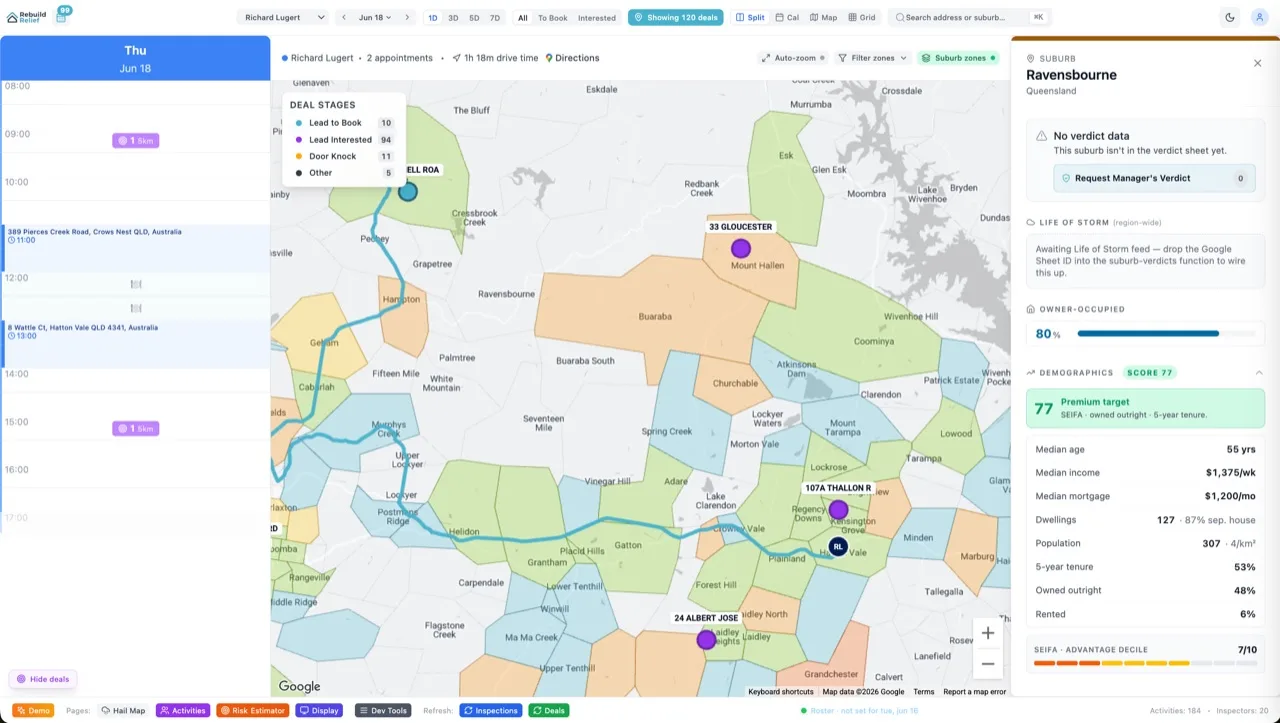

Most sales booking tools treat Google Calendar as a read-only display layer. They show what's there, but pushing a customer commitment back into your calendar? That's a manual job. Velocity X does bidirectional Google Calendar: your rep books a customer call in Velocity X, your calendar updates 2 seconds later. You reschedule an appointment in Google Calendar, Velocity X reflects it immediately. No import/export dances, no "which source is the source of truth" arguments, no reconciliation spreadsheets.
Here's how we built it to handle watch channels, conflict resolution, recurring events, and multi-calendar selection without breaking.
OAuth Scopes and Initial Approval
Google Calendar OAuth is straightforward but the scope tuple is critical. Velocity X requests calendar.events (read and write), calendar.readonly (for account discovery), plus https://www.googleapis.com/auth/calendar.app.created (for push notifications). On approval, Google redirects back with an auth code. We exchange it for an access token (expires in 1 hour) and a refresh token (no expiry, revocable by user).
The refresh token is encrypted with AES-256-GCM in Postgres bytea, same pattern as HubSpot. On every API call, we check the token age and refresh silently if within 10 minutes of expiry. The user never sees a "reconnect your Google account" prompt — it's handled server-side.
Watch Channels and Webhook Delivery
Polling every 5 seconds is slow and expensive. Velocity X creates a watch() subscription on the user's Google Calendar. Google pushes notifications to a Netlify function endpoint whenever an event changes. Each notification carries an event ID and a change timestamp. We validate the notification signature (Google sends an X-Goog-Channel-Token header) and immediately fetch the full event from Google Calendar REST API.
Watch channels expire after 7 days, so a background job renews them on day 6. If a renewal fails three times, the org admin gets a warning. This is important: if watches aren't renewed and polling falls back, your rep books a call in Velocity X, it syncs to Google Calendar, but a simultaneous calendar edit from another app might not sync back until the next scheduled job runs.
Handling Recurring Events and Exceptions
Google Calendar's recurring event model is more complex than most integrations handle. A recurring event has a master ID and instances have recurrence IDs (e.g., event_id_20260612T140000Z). If your rep reschedules one meeting in a daily standup series, Google creates an exception entry. Velocity X fetches the master event and any exception instances, then reconstructs the user's intent: "this meeting was moved from 2pm to 3pm on June 12."
When syncing back, if the rep edits a single instance in Velocity X, we update that recurrence ID only. If they edit the whole series, we update the master event. Google's API enforces this distinction — you can't accidentally merge the entire series into one. This is one of the places where bidirectional sync gets philosophically tricky. We surface this to the user: "This is a recurring series; edit affects only this instance or entire series?"
Conflict Resolution with ETag-Based Detection
Both systems can edit the same event simultaneously. Google Calendar returns an ETag on every event fetch — a hash of the event's content. If the rep edits a meeting in Velocity X and we write it back, but Google received an edit from another client (like the Outlook mobile app), we fetch the current ETag, detect mismatch, and re-fetch the event. This tells us: "your edit collided with another change."
Velocity X uses last-write-wins: whichever system wrote most recently wins. We compare the Google Calendar updated timestamp (ISO 8601 with microsecond precision) against our write timestamp. If Google's is newer, we re-fetch and ask the user: "The calendar has been updated elsewhere; reload to see the latest." If ours is newer, our edit stands. This prevents silent data loss and keeps both systems eventually consistent.
Multi-Calendar Selection and Filtering
Most calendar OAuth integrations sync to a single calendar. Velocity X lets reps pick which calendars to sync. They might have a "Customer Calls" calendar, a "Team Standups" calendar, and a "Personal" calendar. The admin interface shows all discovered calendars with checkboxes. Only checked calendars are watched and synced. This prevents Velocity X from being cluttered with HR calendar events or standup noise.
On first connection, we discover all calendars in the user's account using calendarList().list(), store the calendar IDs, and prompt the user to select which ones to sync. They can change this selection anytime. When a booking is made in Velocity X, we write to their primary calendar by default (or a selected one if they've customized it).
Rate Limiting and Backoff
Google Calendar API rate-limits free accounts at 1000 requests per 100 seconds. A single user with multiple watches or heavy-sync traffic can hit this. Velocity X uses exponential backoff: on a 429 response, we retry after 2 seconds, then 4, 8, 16, capping at 5 minutes. After 5 failures, the sync pauses and the admin gets a Slack notification: "Google Calendar sync hit rate limit; retrying in background."
For high-volume teams, moving to a Google Workspace account (higher quota) or requesting a quota increase from Google Console fixes this. The integration doesn't break — it queues and retries gracefully.
Frequently Asked Questions
Does Velocity X sync all-day events?
Yes. All-day events sync bidirectionally. A customer onboarding day booked in Velocity X becomes an all-day event in Google Calendar.
What if the rep disables access or revokes the token?
On next sync, the token refresh fails. Velocity X marks the connection as revoked, pauses syncing, and notifies the admin. The rep's data stays in Velocity X. They re-authorize by clicking a button, going through OAuth again, and syncing resumes from the point they left off.
Can I sync multiple Google accounts?
One account per Velocity X org right now. If your company has multiple Google Workspace domains, you'd need separate Velocity X orgs and switch between them. Multi-account sync is roadmap.
How does it handle timezones?
Google Calendar stores events in UTC but allows you to specify a timezone for start/end times. Velocity X respects this: a "2pm Pacific" meeting stays 2pm Pacific when synced, regardless of where your reps are. Conversion happens transparently via Google's API.
What about attachments and descriptions?
Attachments don't sync back to Google (it's read-only via OAuth). Event descriptions, titles, and attendee lists sync fully. If a customer sends a file, it stays in Velocity X only.
What's the end-to-end latency?
Google watch notification → webhook ingestion = 1–2 seconds. Fetch full event + sync = 1–3 seconds. Total = 2–5 seconds for Velocity X to reflect a calendar change. Reverse (Velocity X → Google) is sub-second unless rate limit applies.
The Bottom Line
Two-way calendar sync is table stakes for sales tools that claim to manage customer commitments. Velocity X builds it with OAuth push notifications, ETag conflict detection, recurring event handling, and transparent multi-calendar selection. It's not a feature bolted on — it's foundational. When you book a customer call, your calendar is the source of truth within seconds. No polling, no imports, no manual work. Check pricing or read how this fits into our deeper white-label customer booking portal architecture.